
A sales funnel template is a ready-made sequence of pages, such as an opt-in page, sales page, checkout and thank-you page, that you customize with your own offer instead of designing each step from scratch. The six types worth knowing are the lead generation, tripwire, webinar, sales letter or product launch, application and ecommerce funnels. Below, each one is broken down page by page, followed by a free text outline you can copy, planning templates for spreadsheets and slides, and where to get templates that import straight into a funnel builder.
The Six Funnel Templates at a Glance
| Template | Pages in order | Best for |
|---|---|---|
| Lead generation (opt-in) | Opt-in → thank-you → email sequence | Building an email list |
| Tripwire | Opt-in → low-price offer → checkout → upsell | Turning new leads into buyers |
| Webinar | Registration → confirmation → replay → order page | Courses, coaching and software |
| Sales letter or product launch | Sales page or video → checkout → upsell → thank-you | Digital products and launches |
| Application or booking | Landing page → application → booking → confirmation | High-ticket and B2B services |
| Ecommerce | Product page → checkout → order bump → upsell | Physical products and books |
What is a Funnel Template?
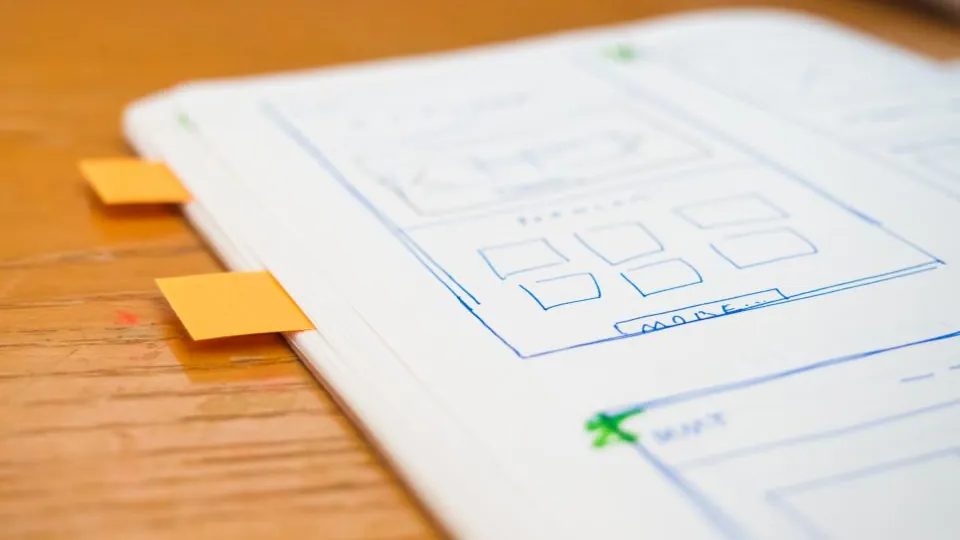
The phrase covers two different things, and search results mix them up. A page template is a set of designed, linked pages inside a funnel builder: you import it, swap in your copy and images, connect your email tool and payment processor, and publish. A planning template is a spreadsheet, worksheet or diagram that maps the stages a buyer moves through and the numbers at each stage. Most businesses need both: the planning template to decide what the funnel should do, and the page template to build it quickly. This guide covers both, starting with the page templates.
The 6 Sales Funnel Templates Explained
1. Lead Generation Funnel Template
The simplest funnel and the foundation for the rest. A visitor trades an email address for something useful, then gets follow-up emails.
- Opt-in page: one headline naming the result, two or three benefit bullets, an image of the freebie, a short form and a single button. No menu.
- Thank-you page: confirms the sign-up, tells people where the freebie is and offers one next step, such as a video or a low-price offer.
- Email sequence: delivery email, then three to five emails that teach and introduce the paid offer.
2. Tripwire Funnel Template
A tripwire adds a small, low-priced offer right after sign-up to turn subscribers into customers early. The opt-in page is the same; the thank-you page becomes a one-time offer page with a short pitch, the price and a checkout, followed by an optional upsell and a final confirmation page. Keep the tripwire closely related to the freebie so the jump feels natural.
3. Webinar Funnel Template
- Registration page: the webinar title, date and time (or "watch now" for evergreen), what attendees will learn and a sign-up form.
- Confirmation page: calendar links, a reminder to watch out for emails and sometimes a short warm-up video.
- Reminder emails: a day before, an hour before and at start time.
- Webinar or replay page: the presentation with a button to the offer.
- Order page: checkout for the offer pitched in the webinar, with a deadline if the offer is time-limited.
4. Sales Letter, VSL or Product Launch Template
For direct product sales. The sales page carries the persuasion, either as a long-form sales letter or a video sales letter (VSL) with a short headline and button beneath it. Typical sections run: headline, the problem, the solution, what is included, proof you can genuinely show, price, guarantee if you offer one, FAQ and a repeated call to action. The checkout follows, then an upsell or downsell page and a thank-you page with access details. A launch version adds a pre-launch sequence of three content pages or videos before the cart opens. For single sales page designs, see sales page templates.
5. Application and Booking Funnel Template
Used for coaching, consulting, agencies, insurance, real estate and other B2B or high-ticket services where a conversation closes the sale. The landing page explains the offer and who it is for; an application form asks qualifying questions; qualified applicants book a call on a calendar; a confirmation page sets expectations for the call. The application step filters out poor fits so sales time goes to serious prospects.
6. Ecommerce and Book Funnel Template
For physical products, an ecommerce funnel replaces a browse-everything store with a single product path: a product page focused on one item or bundle, a checkout with an order bump (a small add-on ticked at checkout), a one-click upsell and an order confirmation page. A book funnel is a variation in which the book is offered free or at a low price plus shipping and the upsells carry the profit; the sales funnel examples guide walks through a public one.
Ready to build your first page? Leadpages includes a 7-day free trial on every plan.
Start Free Leadpages TrialFree Sales Funnel Template You Can Copy
Use this blank sales funnel template to plan a lead-generation-plus-offer funnel before opening any builder. Fill in each line, then build the pages in order.
| Step | Page or email | What to write |
|---|---|---|
| 1 | Opt-in page | Headline: "Get [specific result] without [main obstacle]". Three bullets on what the freebie covers. Form: first name and email. Button: "Send Me the [Freebie]". |
| 2 | Thank-you page | "Check your inbox." One line on what to do next. Optional: a short video introducing your paid offer. |
| 3 | Email 1 (instant) | Deliver the freebie and set expectations for the next emails. |
| 4 | Emails 2–4 (days 1–4) | One useful tip each, one common mistake, one short story or example from your work. |
| 5 | Sales page | Problem, solution, what is included, price, FAQ, call to action repeated two or three times. |
| 6 | Checkout | Product name, price, payment form, optional order bump of a related add-on. |
| 7 | Emails 5–6 (days 5–7) | Introduce the offer, answer objections, close with a clear reason to decide now. |
| 8 | Thank-you or access page | Access details, receipt information and where to get help. |
Where to Get Funnel Templates
Leadpages
Leadpages' template gallery lists more than 200 templates, filterable by landing pages, sales pages, lead gen, webinar, ecommerce and more, with use-case collections for thank-you pages, lead magnets, books, consultations, checkout, coaching and fitness. That covers the opt-in, webinar, sales page and thank-you steps of most funnels, and Leadpages Checkout handles payment on the page. Email follow-up runs in your connected email tool. Browse designs in Leadpages templates.
ClickFunnels
In ClickFunnels 2.0 you create a funnel from a template, from scratch or with its Build with AI assistant, which can recommend a funnel type and draft the pages. Beyond the built-in library, users can share funnels through share links that import a copy of all funnel pages, layouts, settings and products into another account, and larger Frameworks bundle funnels with workflows, themes, courses and email templates. Shared funnels from ClickFunnels Classic cannot be imported into 2.0. More in what ClickFunnels is.
Systeme.io
Systeme.io includes its funnel builder on every plan, including the free one, with templates for lead magnet, product launch, webinar registration, tripwire and membership site funnels. That makes it the easiest place to get free funnel templates that actually publish.
WordPress Funnel Plugins
On WordPress, FunnelKit provides checkout and thank-you page templates for WooCommerce stores, with order bumps and upsells from its Plus plan. If you build pages with a WordPress page builder such as Elementor or Divi, check that any funnel layout you buy matches your builder and version. See WordPress landing page plugins.
Buying Funnel Templates and Share Links
Independent designers sell funnel templates for specific builders, often delivered as a share link or an import file and frequently organized by niche. Before buying, check three things: that the template imports into your builder and version (a ClickFunnels Classic funnel will not import into 2.0), what is included (pages only, or also emails, products and automations), and whether images and fonts are licensed for your use. A template gives you structure; your offer and copy decide whether it converts.
Email Funnel Templates

The email sequence is the part of a funnel that templates often skip, yet it usually does most of the selling. A dependable structure for a seven-day sequence:
- Day 0: deliver the freebie and say what is coming.
- Day 1: the quickest win related to the freebie.
- Day 2: the biggest mistake people make and how to avoid it.
- Day 3: a short case or example from your own work, described honestly.
- Day 4: introduce the paid offer and who it is for.
- Day 5: answer the top three objections.
- Day 6–7: a reminder with a clear reason to act, such as a closing bonus or price change you will genuinely honor.
Sales Funnel Planning Templates for Excel, Sheets and Slides
A planning template tracks the numbers. In Excel, Google Sheets or Notion, set up one row per stage and these columns:
| Stage | Example step | People this month | Conversion to next stage |
|---|---|---|---|
| Awareness | Ad views, post reach, search visits | (enter) | Click-through rate |
| Interest | Opt-in page visitors | (enter) | Opt-in rate |
| Decision | Sales page visitors | (enter) | Checkout visit rate |
| Action | Customers | (enter) | Purchase rate |
Divide each stage by the one above it to find the conversion rate, and work on the stage with the biggest drop first. For B2B sales pipeline funnels, add stages for qualified lead, meeting booked and proposal sent, plus average days in each stage. Diagram tools such as Figma, Lucid and ClickUp publish funnel diagram templates if you need a visual version for a presentation or a client report.
How to Customize a Funnel Template
- Choose the template by goal, not by looks: leads, a low-price sale, a webinar, a high-ticket call or a product order.
- Write the copy first in a document using the outline above, then paste it in. Templates look finished, which tempts people to keep placeholder headlines.
- Replace every image with your own or properly licensed ones.
- Remove sections you cannot support, such as testimonials you do not have yet or a guarantee you do not offer.
- Connect the plumbing: email tool, payment processor, domain and tracking.
- Test the full path on a phone, including a test purchase and every email.
Common Template Mistakes
- Too many steps for a first funnel. Start with a lead funnel and add a tripwire or upsell once it works.
- Navigation left on funnel pages. Menus give visitors exits; keep one path.
- Invented proof. Leave out testimonials and numbers until you have real ones.
- No follow-up. A funnel without emails relies on people buying on the first visit, which most do not.
Choosing a Builder for Your Template
If your funnel is mainly pages, such as opt-in, webinar and sales pages with a checkout, a landing page builder is enough and costs less than a suite. If you want courses, email and multi-step checkouts in one place, a funnel platform fits better. Compare costs in the cheapest sales funnel builders guide or see how the two approaches differ in Leadpages vs ClickFunnels.
Turn a Template Into a Live Funnel
Pick a Leadpages template, add your offer and publish it during the 7-day free trial.
Start Free Leadpages TrialFrequently Asked Questions
What is a funnel template?
A funnel template is a ready-made set of linked pages, such as an opt-in page, sales page, checkout and thank-you page, with layouts and placeholder copy you replace with your own offer. The term is also used for spreadsheet or diagram templates that map funnel stages.
Where can I get free sales funnel templates?
Funnel builders include templates with their plans: Systeme.io's free plan includes its funnel builder with templates for lead magnet, webinar, tripwire and other funnels, and Leadpages and ClickFunnels include template libraries during their free trials. The outline on this page is also free to copy.
Are ClickFunnels templates free?
Templates in the ClickFunnels template library come with a ClickFunnels subscription or trial. Other users can also share funnels through share links, and some designers sell funnel templates separately. A shared funnel only imports into a ClickFunnels 2.0 account.
Which sales funnel template is best for beginners?
A lead generation funnel: an opt-in page, a thank-you page and a short email sequence. It has the fewest moving parts, needs no checkout and builds the audience every other funnel depends on.
Can I use a sales funnel template in Excel or PowerPoint?
Yes, for planning. A spreadsheet template tracks how many people reach each stage and the conversion rate between stages, and a slide template presents the funnel visually. To publish the actual pages you still need a page or funnel builder.
What is the difference between a sales funnel template and a landing page template?
A landing page template is one page. A sales funnel template is a sequence of pages, often with the checkout, upsell and email steps already linked. See Leadpages templates for single-page designs.