
Leadpages is an online landing page builder that lets businesses create, publish and test web pages designed to turn visitors into leads or customers, without coding or separate hosting. People use it for lead capture pages, sales pages, webinar sign-ups, small business websites, pop-ups and alert bars. In 2026 it describes itself as an AI landing page builder and conversion optimization platform, with plans from $29 a month. New to the term itself? Start with what a lead page is. To run a whole site on it, see how to build a website with Leadpages.
What Leadpages Is Used For
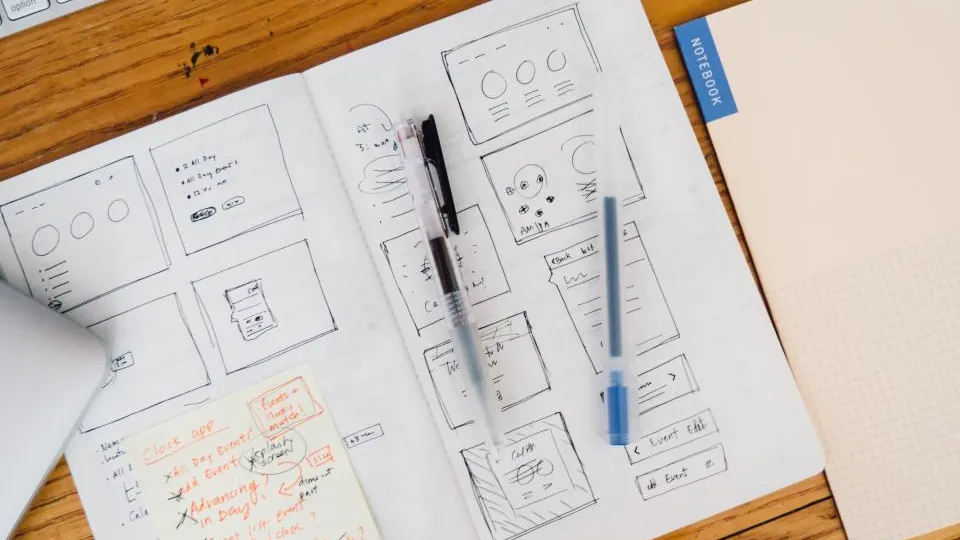
A landing page is a focused page with one goal, such as getting someone to download a guide, book a call or buy a product. Leadpages exists to make those pages quick to build and easy to improve. Common uses include:
- Lead generation: offering an ebook, checklist or webinar in exchange for an email address.
- Paid ad campaigns: sending Google or Meta ad clicks to a page built for that one offer.
- Sales pages: selling a course, coaching package or digital product with a Stripe checkout.
- Small business websites: a multi-page site with a blog, built with the same editor.
- Pop-ups and alert bars: capturing leads on an existing website.
How Leadpages Works
- Start a page. Pick a template or describe your offer and audience to the AI page builder, which drafts a complete page.
- Edit it. Change text, images, forms and buttons in the drag-and-drop editor. Pages are responsive, with a mobile view for adjustments.
- Connect your tools. Link an email marketing service, CRM or Stripe so leads and payments go where they should.
- Publish. Put the page live on a Leadpages subdomain, your own domain or a WordPress site.
- Measure and improve. Watch visits and conversions in Leadpages analytics, and on higher plans run A/B tests or use heatmaps.
Does Leadpages Host Your Pages?
Yes. Leadpages is a hosted platform, so there is no server, hosting plan or caching to manage. Every plan includes a free Leadpages subdomain and at least one custom domain with SSL, and Leadpages states that traffic is unlimited on all plans. If you leave, you can export landing page HTML, but features that rely on Leadpages' servers, such as some integrations, may not work elsewhere.
Do You Need a Website to Use Leadpages?
No. Many people use Leadpages instead of a website: a single landing page on a custom domain is enough to run an ad campaign or grow an email list. If you do have a website, you can keep it and use Leadpages alongside it, either on a subdomain such as offers.yoursite.com, through the WordPress plugin, or by embedding Leadpages pop-ups on your existing pages. For the trade-offs, see Leadpages vs WordPress landing pages.
Main Leadpages Features
- AI page builder with monthly AI credits on every plan
- Drag-and-drop editor and a large template library
- Websites and blogs with shared navigation
- Pop-ups and alert bars for lead capture and announcements
- Stripe checkouts for selling from a page
- A/B testing, Smart Traffic and heatmaps on the Grow and Optimize plans
- Integrations with email, CRM, ad and analytics tools
Each is explained in the Leadpages features guide.
How Much Does Leadpages Cost?
Leadpages has four self-serve plans: Pro ($29/month), Business ($49), Grow ($99) and Optimize ($199), plus custom Enterprise pricing. Annual billing saves 20%. There is no free plan, but every plan starts with a 7-day free trial. See Leadpages pricing and the free trial guide for details.
Leadpages vs a Normal Website Builder
General website builders aim to host your whole online presence. Leadpages is built around conversion: focused pages, lead forms, pop-ups, checkouts and testing. It can now build multi-page sites too, but its strength is pages with one clear goal. Searches such as "Leadpages vs landing page" usually mix the brand name with the page type: Leadpages is the tool, and a landing page is what you build with it.
Leadpages Pros and Cons in Brief
Pros
- Fast to learn and publish
- Hosting, SSL and unlimited traffic included
- AI drafts plus templates
- Pop-ups, checkouts and sites in one tool
Cons
- No free plan
- A/B testing starts on Grow
- No built-in email marketing
- Less design freedom than free-form builders
Who Makes Leadpages?
Leadpages was founded in 2012 and is headquartered in Minneapolis, Minnesota. It was acquired in 2020 by Redbrick, a group of digital companies based in Victoria, British Columbia, and its website states it remains part of the Redbrick family of brands.
Is Leadpages Right for You?
If you want pages that collect leads or sales live quickly, without hiring a developer or managing hosting, Leadpages is a strong fit. If you need email automation, courses and multi-step funnels in one platform, compare it with the options in Leadpages alternatives or read the full Leadpages review.
See Leadpages for Yourself
Build and publish a real page during the 7-day free trial, then decide which plan you need.
Start Free Leadpages TrialFrequently Asked Questions
Who uses Leadpages?
Small businesses, coaches, consultants, authors, course creators, agencies and marketers who run ads or email campaigns and need pages that collect leads or sales.
Does Leadpages host my pages?
Yes. Pages are hosted by Leadpages and served over SSL, either on a free Leadpages subdomain or on your own custom domain. You do not need separate web hosting.
Do I need a website to use Leadpages?
No. You can publish landing pages on a Leadpages domain or your own domain without any other website. If you already have a WordPress site, the WordPress plugin can publish pages there.
Can Leadpages accept payments?
Yes. Leadpages checkouts use Stripe so you can sell products and services from a page.
Does Leadpages send emails?
Leadpages collects leads but does not run email campaigns. It sends contacts to email marketing tools such as Mailchimp, Klaviyo, ActiveCampaign or HubSpot through integrations.
Is Leadpages good for beginners?
Yes. Templates, an AI page builder and a structured drag-and-drop editor make it one of the easier landing page tools to learn.